
Keeping your home safe doesn’t have to break the bank. Read about costs you can expect when signing up for a security system for your home.
How Much Does Home Automation Cost? A Complete 2026 Pricing Guide
Smart homes aren't just futuristic concepts anymore—they're real, everyday upgrades that more homeowners are choosing to improve comfort, security, and convenience. From turning off lights with a quick voice command to locking the front door from your phone, the right setup can make daily life a whole lot simpler. But for those new to smart home automation, one question comes up fast: How much does it actually cost?
The short answer: It varies. From simple setups under $500 to full-featured systems in the thousands, the cost of home automation spans a broad range. The overall cost of a home automation system depends on the size of your home, the number of devices you want to install, how advanced your system is, and whether you go DIY or hire professionals.
This guide covers everything you need to know: the most common devices and services, compare installation methods, and the factors shaping pricing in 2026.
Along the way, we'll show how Vivint offers smart home solutions built for flexibility, value, and long-term peace of mind.
What goes into the cost of a smart home system?
The cost of a smart home system can vary widely depending on the scope and setup. From essential gadgets to full-home automation, several factors affect the final price.
Here's a breakdown of what contributes to the total cost:
- Number of devices. Each added device increases the system's total cost and functionality.
- Device types and features. Options like smart thermostats, lights, locks, cameras, and sensors add variety—and cost.
- Advanced integrations. Voice control, garage door access, and home entertainment integrations can increase the price range.
- System size. A few standalone devices may cost a few hundred dollars, while a full smart home setup can reach thousands, depending on your selections.
- Installation method. DIY installation can save money upfront, but it might cost more in the long run. Professional installation is better for complex setups.
- Customization and automation. Personalized routines and multi-room automation can add to the investment but boost convenience.
Understanding these elements can help you build a smart home system that fits your lifestyle and budget.
Smart home installation: DIY vs. professional
Deciding between DIY and professional installation isn't just about cost—it also changes how easy the setup is and how smoothly everything works. Some homeowners like the hands-on approach and flexibility of doing it themselves. Others feel more comfortable letting an expert handle the job from the start to avoid issues and costs later on.
Here's a side-by-side comparison of what to expect:
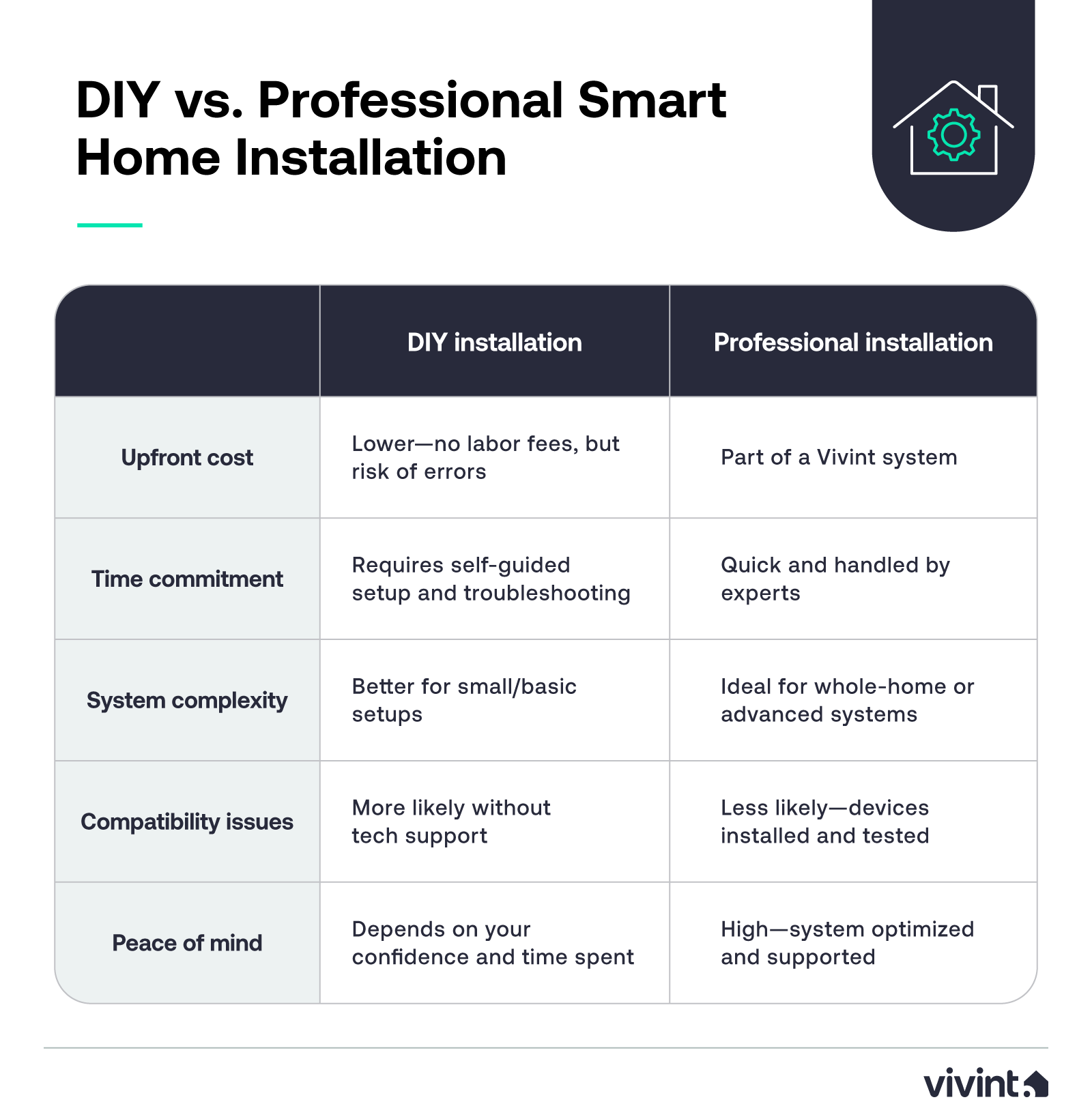
DIY may be a great starting point for tech-savvy users with simple needs (and possibly electrical experience). But for anyone installing multiple smart home devices—or who wants everything to work right from the start—professional installation can offer more value in the long term.
Average cost breakdown: DIY vs. pro
DIY setups can save money upfront, but mistakes are common and cost an average of $188 to fix.
Professional installation may seem more expensive initially, but it may actually save money in the long run. Professional installation is part of a Vivint system.
That means a smoother, more reliable setup process. You're also more likely to get the support and compatibility you need without extra troubleshooting because a Vivint installer can teach you how to use your new system.
Instead of focusing just on price tags, consider the total value of getting things right the first time, especially when building a system designed to protect your home and simplify your life.

Download your free smart home guide.
Learn everything you need to know about the value and security of a smart home in one quick, easy read.
What devices influence smart home pricing?
The smart home devices you choose have a direct impact on the total cost of your setup. Some gadgets are affordable must-haves, while others add convenience, comfort, or luxury at a higher price point.
Breaking down home automation costs by category helps clarify where your budget might go and which items are worth prioritizing based on your goals:
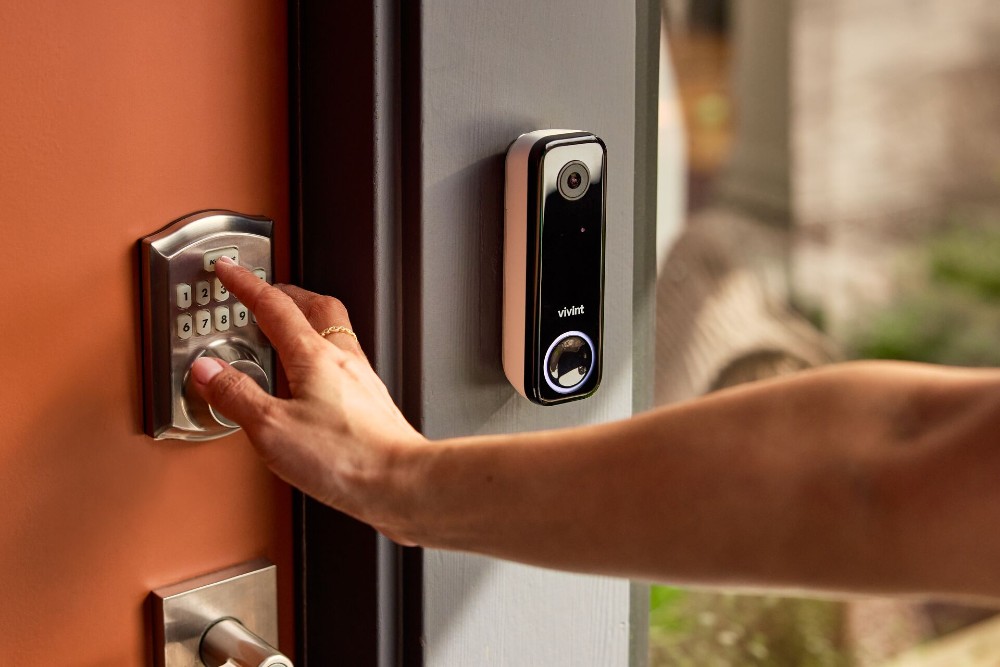
- Security devices. A typical security system might include smart locks, motion sensors, security cameras, and door/window sensors. Vivint security packages start at just $199.99 with free install when signing a three-year agreement, and monitoring starts as low as $24.99 per month. Advanced systems with outdoor cameras, smart detectors, and more extensive sensor coverage can cost upwards of $1,000 or more for equipment, plus additional monthly monitoring fees.
- Lighting and switches. Smart lighting is one of the easiest entry points into smart home automation. Swapping out light switches or adding smart bulbs in key areas like the living room or kitchen can cost between $15 and $60 per fixture. Full lighting systems with custom zones, timers, and voice control cost more but scale better for larger homes.
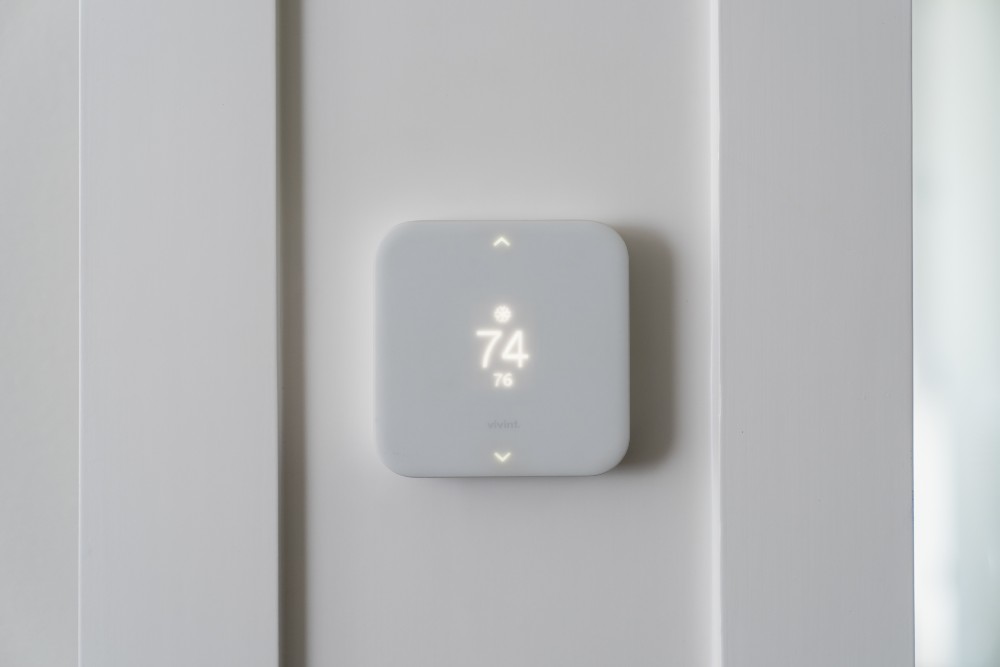
- Climate control and HVAC. Smart thermostats help manage energy use and comfort, often paying off over time with lower utility bills. Expect to spend around $100–$300 for a smart thermostat ($200-$500 if including professional installation).
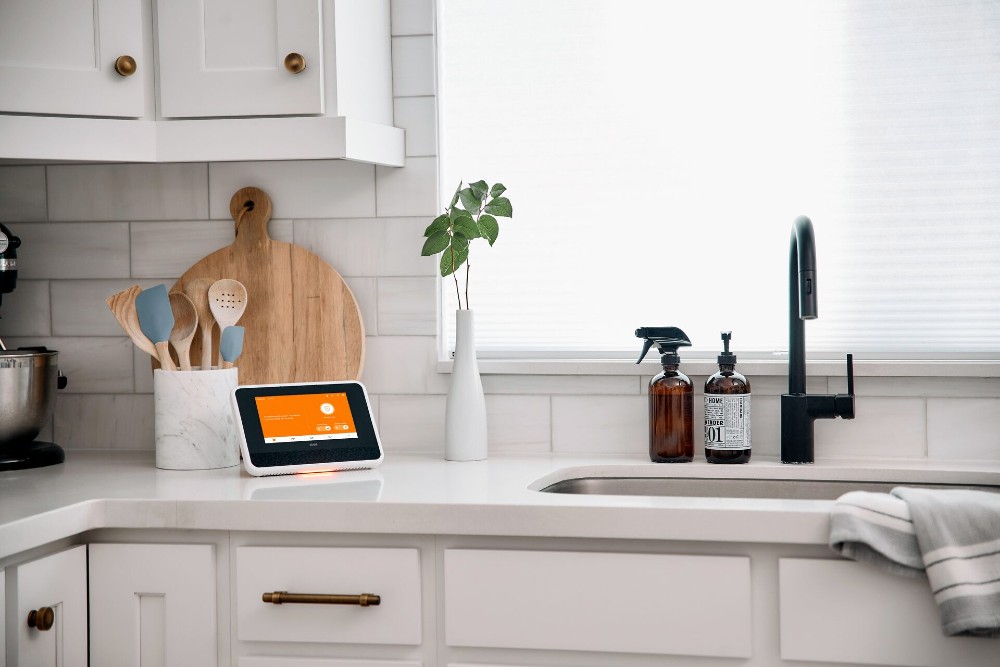
- Kitchen and appliances. High-end ovens, refrigerators, and dishwashers with smart features tend to cost $1,000-$7,000. They offer convenience like remote control, maintenance alerts, or voice integration.
- Garage and entry points. Automating your garage door is another popular feature. Smart controllers for garage access typically range from $30 (for retrofit devices) to well over $100, offering you better security and convenience.
- Entertainment and convenience. Smart speakers, connected TVs, and home hubs tie your devices together. Depending on the brand and features, these gadgets can cost anywhere from $30 to $2,000. While optional, they help by centralizing voice commands and routines.
Whether you're automating a few functions or designing a fully connected home, knowing how different devices shape your overall home automation price helps you create a system that works for you.
Must-haves vs. nice-to-haves
You don't need the fanciest tech to build a smart home that works for you. For most homeowners, starting with a few practical devices is the smartest move.
Here are a few must-haves that offer real value without breaking the bank:
- Smart locks. Secure your home with remote locking and unlocking, plus app alerts.
- Smart thermostats. Adjust temperatures remotely for comfort and energy savings.
- Smart bulbs or switches. Add convenience with schedules, dimming, and remote control.
These nice-to-have high-end, luxury home features bring added comfort and customization:
- Smart ovens and kitchen appliances. Preheat, monitor, or adjust settings remotely.
- Home theater systems. Create a fully immersive living room entertainment experience.
- Home entertainment hubs. Centralize control of audio, video, and smart devices.
Each smart home is different. Whether you begin with basics or add features over time, the right mix of smart home technology can reduce energy bills and boost daily convenience.
Related article
Is Smart Home Tech Worth It?
How system size and home layout impact pricing
The number of devices you need—and how they're installed—often depends on your home's size and layout. Here's how those factors can shift the cost of your smart home system based on the size and layout of your home.
Smaller homes or apartments:
- Have a lower total cost. Fewer rooms mean fewer lights, sensors, etc. Just a few switches or bulbs can handle most needs.
- Require simpler networks. A basic home network can usually support the system.
Larger homes:
- Have a higher upfront investment. Additional entry points, rooms, and zones require more equipment.
- Need expanded home lighting systems. The cost of smart bulbs or switches increases the more rooms you have.
Integration, compatibility, and smart ecosystems
Compatibility plays a big role in how smooth your smart home system setup will be and how much it might cost. The more devices you add, the more important it becomes to choose a unified smart ecosystem.
Most smart home systems work best when built around a common platform like Google Home. These ecosystems let you connect and control multiple devices using voice commands, a smart speaker, or a smart home hub. They also offer app-based remote control, so you can manage everything from lights to locks from anywhere.
Beyond brand ecosystems, Zigbee, Z-Wave, and Bluetooth are common communication protocols that help devices talk to one another. These protocols reduce compatibility issues between brands and make it easier to expand your system over time.
Vivint makes smart home setups easy. It works smoothly with platforms like Google Assistant, so you can manage everything with your voice or an app.
It also uses the Z-Wave protocol, which helps connect a wide range of devices without headaches. That makes adding new gadgets simple and keeps things running together without issues.
Related article
Smart Energy Optimization: How Home Automation Can Cut Costs
Is home automation worth the cost?
Smart home automation can be a smart investment for many homeowners. While the upfront cost may seem high, the long-term benefits often make it worthwhile. Here's what you get:
- Lower energy bills. Smart thermostats, lighting schedules, and device control help cut down on energy use and reduce monthly costs. Given that 59% of homeowners have seen their energy bills rise over the past 12 months, these devices are a no-brainer. For instance, an Energy Star smart thermostat can save you 10–15% on heating and cooling costs.
- Stronger home security. Features like security cameras, sensors, and integrated systems offer better protection and peace of mind.
- Everyday convenience. Control lights, locks, and other devices from your phone or with voice commands—no more guessing if you left something on.
- Potential home value boost. Smart upgrades from trusted brands, especially when professionally installed, can make your home more attractive to buyers. In 2025, the average cost of a smart home was $1,224,763—nearly twice as much as a non-smart home, which averages $663,847.
Vivint offers reliable support, clear pricing, and high-quality gear, making it a strong pick if you're ready to invest in a smarter home.
Choosing the right system for your needs
There's no one-size-fits-all answer when it comes to smart home automation. The best system for your home depends on how you live, what you want to control, and how much you're comfortable spending. Some people start with a simple DIY setup to manage lights and locks. Others opt for professional installation with advanced features like security cameras, full-room automation, and system-wide voice control.
If keeping costs down is your priority, a basic DIY setup with a few smart devices is a good place to start. But professional installation might be worth the extra investment if you're planning a more advanced system, especially one that spans multiple rooms or involves a lot of device integration. In either case, it's smart to factor in installation costs and the overall benefits you hope to get.
Vivint takes the guesswork out of building a smart home by offering fully customizable systems backed by expert installation and support. Whether you need convenience, stronger security, or long-term peace of mind, contact Vivint today at 855.822.1220 and we'll create a system that fits your needs today.
Get a free quote today.
A Vivint Smart Home Pro will contact you within 24 hours. Or skip the form and call now: 844.481.8630.
Everything works together
Combine products
for a safer home
You may also like:
Smart Guides
The In-Depth Guide to Home Security System Costs in 2026
Mar. 03, 2026

Smart Guides
How Package Detection Works—And Why You Need It
Ever wondered how package detection works, or if it’s really effective? Read on to find out how the Vivint Doorbell Camera Pro works to protect your packages around the clock.
Feb. 27, 2026

Smart Guides
Small Business Security Systems: A Complete Buyer's Guide
Protect your small business with the right security system. Learn about features, costs, and the best solutions to safeguard your business.
Jan. 15, 2026
Related content
-
The In-Depth Guide to Home Security System Costs in 2026
Keeping your home safe doesn’t have to break the bank. Read about costs you can expect when signing up for a security system for your home.
-
Best Affordable Home Security Solutions for 2026
Affordable home security doesn’t mean cutting corners. Learn smart ways to protect your home with low-cost systems and monthly savings.
-
Small Business Security Systems: A Complete Buyer's Guide
Protect your small business with the right security system. Learn about features, costs, and the best solutions to safeguard your business.


