
Wireless home security cameras work by transmitting the camera’s video through a radio (RF) transmitter. Here’s how they work.
The Ultimate Security Camera Buying Guide
Key factors to consider when buying a security camera:
- Type of camera. Do you need an indoor, outdoor, doorbell, or spotlight camera?
- Resolution. Look for 1080p for clear footage.
- Power source. Wired cameras are more reliable, and wireless cameras are more flexible.
- Storage type. Cloud storage offers remote access but potentially costs a monthly fee.
- Night vision. Prioritize IR for clear nighttime footage
- Field of view. Wide angles (between 130°-180° depending on the camera type) give you the best footage.
A home security camera is a surveillance camera that captures video footage of your property to deter intruders and supply evidence when needed. These cameras help homeowners monitor activity, improve visibility around entry points, and stay aware of what’s happening, whether they’re home or away.
This guide outlines the differences between indoor and outdoor cameras, compares wired, wireless, and battery-powered setups, and explains how storage, smart home integrations, and placement affect overall performance.
You’ll also learn what makes Vivint cameras stand out, so you can feel confident choosing the right home security system.
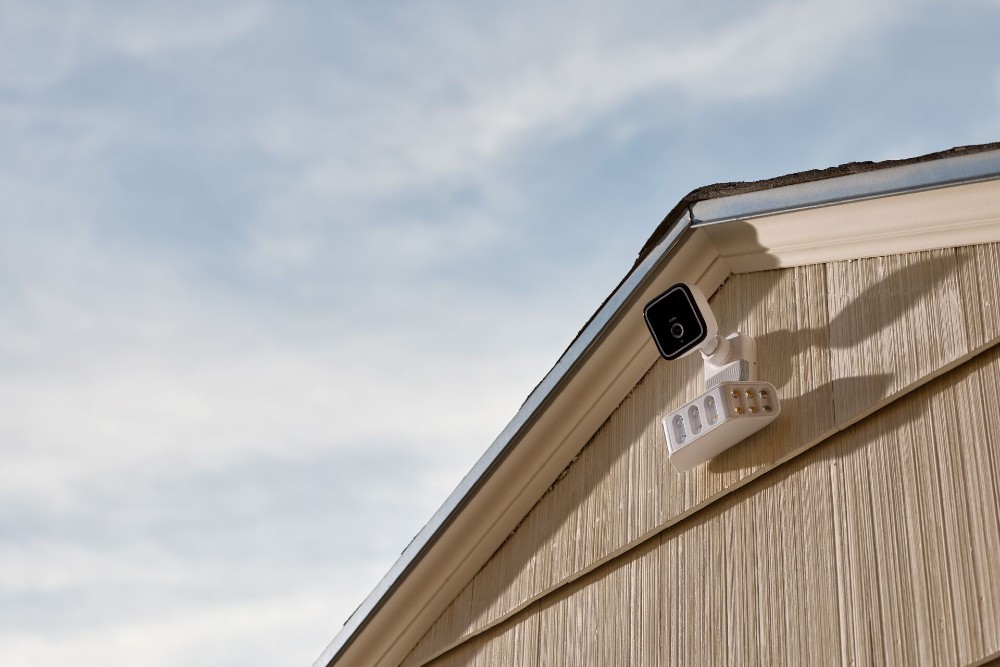
What are the different types of security cameras?
Home security cameras most commonly come in one of the following forms:
- Indoor security cameras
- Outdoor security cameras
- Doorbell security cameras
- Spotlight security cameras
Indoor security cameras
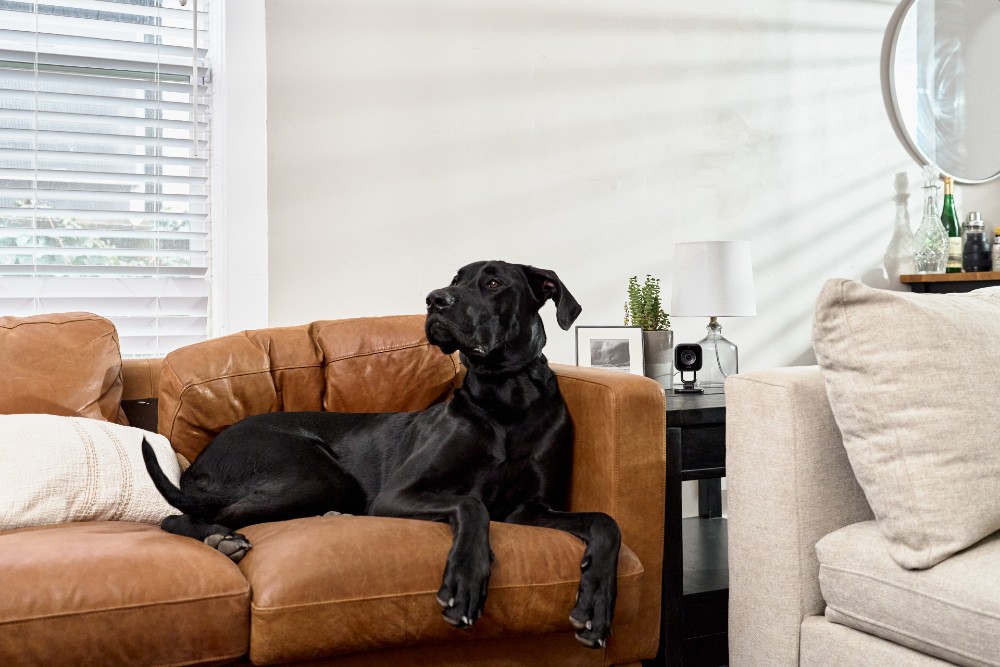
Indoor security cameras are used to monitor hallways, living spaces, and entry points. They often include two-way talk, privacy settings, and flexible mounting options.
Key features include:
- Wide-angle lenses for expansive coverage (typically 130°–180°)
- Microphones for audio monitoring
- Motion-activated recording for efficient surveillance
- High-definition resolution (1080p or 4K) for crystal-clear images
- Infrared night vision for low-light conditions
- Remote viewing via apps with notifications, keeping you connected anytime
Specialized options include:
- Nanny cam. Discreetly monitor childcare providers with cams hidden in everyday items like clocks or toys.
- Pet cameras. Check in on your furry friends, with some models even dispensing treats!
- Baby monitors. Keep an eye and ear on your little one, with options for temperature monitoring, white noise, and movement tracking.
Many indoor home security cameras have enough features to be used interchangeably, so your camera can double as a nanny cam or pet monitor.
Outdoor security cameras
Outdoor security cameras need to be able to withstand weather, temperature changes, and direct sunlight. When looking at outdoor cameras, focus on durability and features like field of view, weather resistance, night vision, facial recognition, and motion-activated lighting.
Key features include:
- Motion-activated and continuous recording options
- Wide-angle lenses for extensive outdoor coverage (130°–180°)
- Infrared LED night vision for clear nighttime images
- HD resolution (1080p or 4K) for detailed visuals
- Two-way audio for communication with visitors
- Smart deterrents like warning tones for uninvited guests
- Remote access through smartphone apps
Types of weatherproof outdoor cameras:
- Doorbell cameras. Monitor your front door with motion sensors, video doorbells, and two-way talk functions.
- Floodlight camera. Illuminate and record any activity with a floodlight cam, deterring potential intruders and capturing clear footage.
Indoor vs outdoor security camera features
| Feature | Indoor Cameras | Outdoor Cameras |
|---|---|---|
| Resolution | 1080p | 1080p |
| Weather Rating | Not required | IP 65 or 66 |
| Typical Price Range | $30-$200 | $100-$300+ |
| Recommended Placement | Hallways, living rooms, entry points | Driveways, side yards, backyards |
| Additional Features | Two-way audio, privacy mode, attractive design | Weatherproofing, wide field of view, night vision, motion-activated lights |
Security camera designs
Indoor and outdoor cameras can have different shapes and designs. The most common are:
| Camera Type | Shape | Best Placement | Typical Use Case | Key Advantage |
|---|---|---|---|---|
| Bullet | Cylindrical | Walls or ceilings, indoor/outdoor | Visible deterrent for entry points | Instantly recognizable, deters intruders |
| Dome | Dome-shaped | Ceiling-mounted | Hotels, restaurants, businesses | Tamper-proof, broad viewing angle |
| Turret | Ball-shaped (no casing) | Indoor areas, shorter ranges | Discreet residential monitoring | Blends into surroundings, flexible rotation |
| PTZ | Varies | Large areas requiring live monitoring | Commercial properties, parking lots | Real-time pan, tilt, and zoom control |
Ultimately, the design of your camera will depend on the area you're monitoring, whether or not you want a visible or discrete camera, and whether you are monitoring a home or commercial property.

Download our home security camera guide.
Indoor, outdoor, doorbell—we’ve got them all. Learn how security cameras can protect your home and family with this free guide.
What are the most important security camera features?
Effective security starts with selecting a camera that matches your home’s layout. Many modern devices include specs and features that make monitoring more accurate and more convenient, especially when connected to a smart home system.
Whether you have a DIY security system or professional monitoring, you should verify that your smart security camera has the power needed to keep your home safe.
Here are some other important security camera features to look at:
- HD resolution. Video quality of 1080p or higher allows clear identification of faces, details, and movement.
- Night vision. Infrared (IR) night vision uses infrared LEDs to capture clear footage in complete darkness. IR night vision has a typical range of 30 feet or more.
- Motion alerts. Customizable notifications help you respond right away to any notifications.
- Two-way audio. Built-in speakers and microphones let you speak to visitors and deter unwanted activity with voice communication.
- Field of view. A viewing angle of at least 130° is recommended to reduce blind spots.
- Storage options. Choose between cloud storage, local digital video recording (DVR), or hybrid setups.
These features form the foundation of any best security camera guide and help homeowners compare devices confidently.
Related article
The In-Depth Guide to Home Security System Costs
Power sources and connectivity
Your security camera's power source will influence where you place your cameras and whether you will need professional installation or additional wiring. Connectivity also shapes how quickly you receive alerts and how smoothly your camera integrates with your smart home system.
Choosing between wired, wireless, or battery-powered cameras depends on your home layout, installation preferences, and whether you want continuous or event-based recording.
Wired cameras offer the most consistent power and video quality, but they have limited placement options. Wireless cameras and battery-powered options provide more flexible placement, but they may be more prone to other issues.
Connectivity options such as Wi-Fi, power over Ethernet (PoE), or hub-based systems determine how quickly your camera delivers motion alerts and streams live video when you’re away from home.
Home security camera power sources
| Camera Type | Power Source | Pros | Cons | Best Use Cases |
|---|---|---|---|---|
| Wired | Continuous wired power | Consistent recording; no battery changes | Requires hardwiring | High-traffic areas; porches; 24/7 recording |
| Plug-In Wireless | Plugged into outlet | Easy setup | Limited by outlet placement | Indoors, porches, hallways |
| Battery-Powered Wireless | Rechargeable battery | Flexible placement; no wiring | Downtime while charging batteries; limited battery life | Areas with no outlets |
How to choose the right camera for your home
Choosing the right type of security camera starts with identifying your goals, layout, and the areas you want to monitor.
Here are a few points to evaluate before deciding:
- Identify your purpose. Identify which rooms, entry points, or outdoor areas you want to cover. This will help you determine if you need indoor monitoring, outdoor surveillance, or both.
- Select your camera type. Match the camera style (indoor, outdoor, doorbell, floodlight) to your needs.
- Choose a power source. Decide between wired (more reliable) or wireless (more flexible).
- Evaluate storage options. Compare cloud storage plans against local storage and decide which works best for your camera setup.
- Verify security features. Make sure the camera has strong encryption and a reputable history with security.
- List must-have features. Prioritize the features that mean the most to you. These include high-resolution video, night vision strength, and field of view.
- Consider integration. Look for security devices that connect with your existing smart home system.
Additional considerations
Smart home integration, app control, installation, monitoring, and legal implications are important considerations when looking at security cameras.
Smart home integrations and app controls
The most important smart home integration platforms for security cameras are Amazon Alexa, Google Assistant, Apple HomeKit, and Samsung SmartThings.
- Amazon Alexa: Use voice commands to create routines for your security devices.
- Google Assistant/Google Home: Receive spoken alerts and integrate with other Google-compatible devices. Vivint devices work with Google.
- Apple HomeKit: Access cameras, and use Siri voice commands.
- Samsung SmartThings: Connect cameras to an ecosystem of devices for automated responses.
Smart home help you respond to motion alerts faster, review footage from anywhere, and automate your home’s reactions to activity. These integrations make security cameras a worthwhile investment for any homeowner.
A strong home security camera setup should integrate with your mobile app, doorbell camera, motion sensors, and lighting routines. It should also be compatible with Amazon Alexa, Google Nest, or Google Home for greater home security control.
When connected to your smart home, your cameras can trigger lights, sync with alarms, and send instant alerts that keep you informed no matter where you are.
Monitoring
How do you plan to monitor your recorded video footage? Here are two options to consider:
- Self-monitoring. This DIY approach puts you in charge. You'll receive alerts, and responding to emergencies is up to you. It's cost-effective but requires your constant attention.
- Professional monitoring. For uninterrupted vigilance, professional monitoring is key. They alert emergency services on your behalf, providing peace of mind, especially during critical moments.
Installation
Capturing the critical angles and preventing blind spots requires experienced consideration and proper installation. Most indoor devices perform best when mounted at a slightly downward angle to cover entryways or high-traffic areas.
Outdoor cameras require a weatherproof mounting point with a clear view of the areas you want to cover, such as driveways, porches, or side yards. A solar panel camera or video doorbell camera installed too high may miss facial details, while one placed too low might limit visibility.
DIY is Ideal for standalone, plug-in units like indoor cameras or doorbell cameras. It's user-friendly and cost-effective.
Here is a simple checklist to help guide your setup:
- Choose your mounting height.
- Angle toward entry points. Adjust the camera to cover doors, hallways, walkways, and any other areas you want to protect.
- Check the lighting. Make sure glare or backlighting doesn’t wash out the view. Test out placement at different times of day, to ensure that the sun or streetlights don’t impact visibility.
- Secure wiring or battery mounts. Keep cables tidy and ensure battery cameras are locked in place.
- Test the live feed. Verify that motion alerts and video quality meet your expectations.
Professional installation is best for complex systems, especially those involving outdoor cameras or hard-wired connections. Professional installation ensures optimal placement and integration with your smart home security system.
Legal
Homeowners should also follow basic privacy and video recording guidelines. Avoid placing cameras in bedrooms, bathrooms, or other private areas. If your outdoor cameras face shared property or public spaces, check local regulations to make sure your setup complies with recording laws.
Related article
DIY vs Professional Security System Installation
Why homeowners choose Vivint home security cameras
Vivint cameras combine high-quality video with smart home automation to give homeowners stronger protection and easier monitoring.
Features like 1080p HD resolution, night vision, package alerts, and two-way talk help you see what’s happening and respond quickly. When paired with the Vivint app, your cameras become part of a connected system that links lighting, sensors, alarms, and doorbell cameras into one dashboard.
Vivint Indoor Camera Pro and Outdoor Camera Pro add advanced detection technology that helps highlight important activity while filtering out routine motion. The result is a home security system that keeps you informed without overwhelming you with alerts.
Get your new home security camera
The best home security cameras strengthen your overall protection, improve visibility around your property, and help you stay aware of what’s happening, no matter where you are.
Vivint offers both indoor and outdoor cameras designed to work seamlessly with your smart home devices, giving you real-time notifications, live video access, and dependable recording.
Explore Vivint’s lineup of security cameras to find the model that fits your home’s layout, lighting needs, and preferred level of automation. Give us a call at 855.822.1220 today.
Related article
Is Vivint Worth It?
FAQs about home security camera features
If you’ve never bought a home security camera, then it’s possible that you’re feeling a bit overwhelmed. Use these answers as additional points to compare storage options, understand connectivity needs, and choose the right features for your property.
Can a home security camera work without the internet?
Yes, some home security cameras can record without the internet, but features like live video, mobile notifications, and cloud storage require an online connection.
Wireless cameras depend on a Wi-Fi connection for most functions, while wired systems with local DVR storage can still capture video footage offline for local storage. For full functionality, especially remote access, an internet connection and a strong router are essential.
Do home cameras record all the time?
Not necessarily. Many home surveillance cameras offer both continuous recording and event-based recording, allowing you to choose which type of recording you want to use.
Continuous recording captures everything, but it requires a lot of storage. Event-based recording only saves clips whenever motion or sound is detected, conserving space and making footage review easier.
Homeowners can choose based on their surveillance needs and preferred storage method for their security camera system.
How much do wireless security cameras cost?
Basic models cost less, usually between $30-$50, but may offer limited features. Advanced cameras with HD video, wide field of view, and two-way audio cost more, sometimes around $200-$250 and beyond.
Wireless security camera pricing varies based on video resolution, infrared night vision strength, video storage options, and smart home integrations.
Systems that include cloud storage or additional smart home tools may also have ongoing service fees.
Get a free quote today.
A Vivint Smart Home Pro will contact you within 24 hours. Or skip the form and call now: 844.481.8630.
Everything works together
Combine products
for a safer home
You may also like:
Security Cameras
How Do Wireless Security Cameras Work?
Jun. 03, 2026

Security Cameras
Vivint Security Camera Reviews (2026)
Surveillance cameras are an important part of any home security system. Find out what customers think of Vivint security cameras.
May. 18, 2026

Security Cameras
Should I Get Security Cameras or an Alarm System?
Compare security cameras vs alarm systems and learn how a unified home security system can provide smarter peace of mind.
May. 12, 2026
Related Content
-
Indoor Security Camera Buying Guide: How To Find the Perfect Fit
Not sure which indoor security camera to choose? This 2026 guide covers key features, storage, smart home tips, and Vivint's top-rated option.
-
Outdoor Security Camera Buying Guide
Learn all about outdoor security cameras and what to look for in this useful guide.
-
Wireless Security Camera Buying Guide
Secure your home with our buying guide for wireless security cameras. Expert advice on selecting the perfect camera, whether for indoor or outdoor surveillance.


