
Doorbell cameras with real-time alerts and cloud recording are essential home security devices. Learn what to look for when buying one here.
Outdoor Wireless Security Cameras: How To Choose the Best for Your Home
Key takeaways
- Choose a wireless outdoor camera that has a weatherproof rating of IP65 or higher, resolution of 1080p, and night vision.
- Choose your power source based on your needs. Battery-powered is flexible but requires charging; hardwired is fixed but reliable.
- Local storage eliminates monthly fees, while Cloud storage ($3–$30/month) provides off-site backup.
- Smart home integration lets your cameras work with locks, lights, and sensors.
An outdoor wireless security camera is a weatherproof surveillance device that transmits video over Wi-Fi without a hardwired connection.
Outdoor cameras deliver a live view and send fast notifications when they detect motion. Many are wire-free for flexible placement, while others use steady wired power for continuous coverage. Choose what fits your routine and layout, then place each camera to monitor high-traffic areas and entry points.
In this guide, you'll see which features matter most, how different power sources affect placement, and what to expect from connectivity. You’ll also learn how video recording works, which storage options make sense, and how to keep everything running smoothly with simple setup tips.
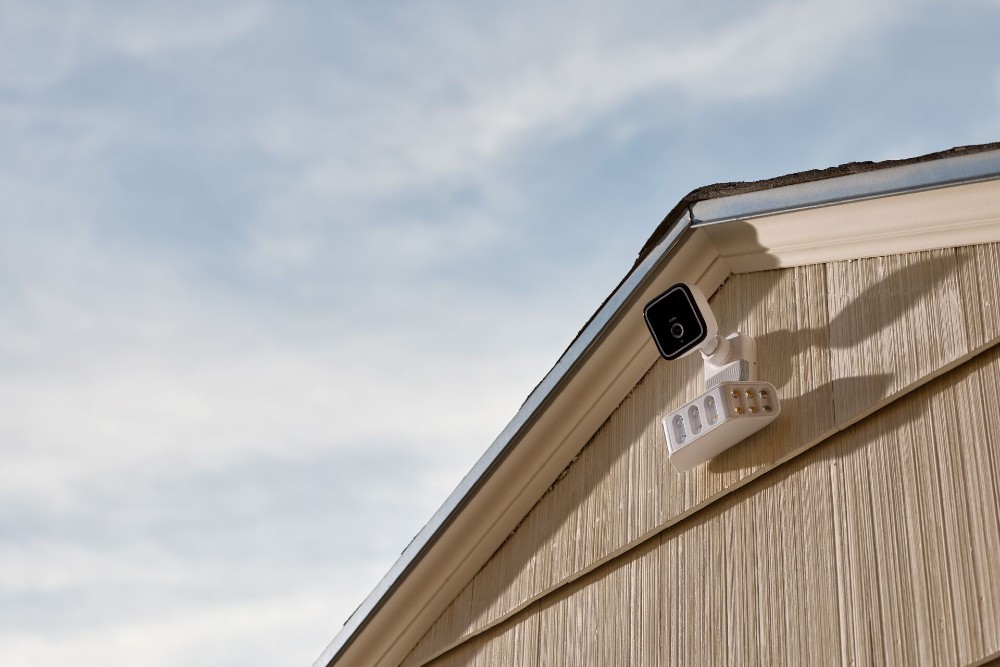
What are the key features of a wireless outdoor camera?
Before diving into details, here are the most important features to look for in an outdoor wireless security system camera:
- Weather resistance: Look for at least an IP65 rating to ensure your camera withstands rain, dust, and extreme temperatures.
- Video resolution: Choose 1080p for general coverage, 2K for better detail, or 4K for capturing faces and license plates at greater distances
- Field of view: Most outdoor cameras offer 110° to 180° fields of view..
- Night vision: Color night vision provides better recognition of clothing and vehicles after dark, but it requires a spotlight. Cameras with IR night vision are reliable in dark conditions.
- AI-powered detection: Smart filters distinguish people from cars, pets, and other motion to reduce false alerts.
- Two-way audio: Speak directly through the camera to communicate with visitors or delivery drivers.
- Storage options: Local storage (microSD) for quick access, cloud storage ($3–$30/month) for off-site backup and easy sharing.
- Smart home integration: Compatibility with smart devices like Google Assistant for hands-free control.
| Feature | Options |
|---|---|
| Resolution | 1080 p (standard) 2K (sharper detail) 4K (good for plate reading) |
| Night vision types | Infrared (black and white) Color night vision (requires spotlight) |
| Field of view | 110°–180° |
| Storage | Local microSD (no monthly fee) Cloud subscription ($3–$30/month) |
| Power | Battery-powered (3–6 months) Hardwired (continuous power) |
What are outdoor wireless security cameras?
Outdoor wireless security cameras offer flexible installation and smart protection without the hassle of running cables. Here’s what sets them apart and what to look for:
- Wireless setup. A wireless security camera sends video over Wi-Fi, giving you more freedom with placement and quicker setup compared to wired systems.
- Built for the elements. A high-quality outdoor security camera is designed to keep working in rain, wind, or extreme temperatures without losing performance.
- Professional installation available. Cameras can be professionally installed by Vivint for a clean, expert setup. Vivint outdoor cameras are weatherproof and built to last.
- Wire-free options. A wire-free model connects through your network, eliminating the need for long cable runs. These are easier to install in high-traffic areas while keeping sightlines clear.
- Essential features. Most units capture HD (1080p) or Ultra HD (4k) video and use motion sensors to trigger motion events. Durable housing protects internal parts, while Wi-Fi connectivity links to your app for fast access.
It’s also worth knowing where indoor cameras fit in. Since they aren’t built to handle outdoor conditions like rain or dust, they’re better suited for protected areas inside your home. For outdoor spaces like the front door, driveway, or backyard, look for cameras with strong weather ratings. Checking the ingress protection (IP) rating helps ensure the device can stand up to sun, wind, and cold.
These cameras work best as part of a connected security system, giving you live alerts, smarter functionality, and simple control through a single app. If you're still comparing features, here’s how to choose an outdoor security camera that fits your installation needs and coverage goals.

Download our home security camera guide.
Indoor, outdoor, doorbell—we’ve got them all. Learn how security cameras can protect your home and family with this free guide.
How do I power and connect a wireless outdoor camera?
Your power plan decides where a camera can go, how often you'll service it, and whether you choose a wired or wireless solution. Your network setup decides how smooth the stream feels during live view and video recording.
Power and connectivity options: Pros and cons
| Option | Pros | Cons |
|---|---|---|
| Battery-powered camera | Flexible placement Truly wire-free Easy to move |
Battery life depends on activity Cold weather shortens battery cycles |
| Plug-in cameras | Steady power for busy areas and frequent alerts Supports longer clips |
Needs an outlet Visible wires |
| Hardwired cameras | Most reliable power Minimal upkeep Ideal for fixed, high-traffic spots |
More involved installation Less flexible placement |
| PoE (Power over Ethernet) | One cable caries power and data Strong connectivity |
Requires a PoE switch or injector |
Can I extend the battery life of my wireless camera?
Battery-powered cameras offer flexibility, but they need smart setup to last. These tips help you make the most of each charge:
- Use a battery-powered camera wisely. Shorten clip length, set activity zones, and fine-tune motion detection so the camera records only what matters.
- Plan for activity levels. Quiet corners last longer between rechargeable cycles. Busy walkways drain faster because the camera works more often.
The Vivint solution:
- Vivint Outdoor Cameras are hardwired for constant connectivity. That means no battery changes, and more power to capture footage that matters. The hardwired connection allows for industry-leading preroll.
- Instead of planning camera placement around battery-saving locations, homeowners can put Vivint outdoor cameras in the most effective locations for security and safety. Personalizations like custom zones and monitoring hours can help reduce unnecessary alarms.
Use wired networking when it helps
A wired connection can reduce lag and boost reliability. Here's how to make wired setups work for you:
- Try PoE where possible. Some systems support Power over Ethernet, so power and data share one Ethernet line.
- Verify compatibility. Check specs first so you know the model accepts PoE. It can reduce clutter and boost connectivity if you already run a small network cabinet.
How can I strengthen my home network?
A strong connection is key to smooth streaming and fast alerts. Use these tips to improve Wi-Fi performance:
- Optimize Wi-Fi placement. Put the router in a central, elevated spot away from heavy appliances.
- Pick the right band. Use 2.4 GHz for range and 5 GHz for bandwidth.
- Expand coverage. Mesh extenders help larger homes, and channel changes can cut interference.
- Test after each change. If the live view is quick and stable, video recording should be clean.
What storage options do wireless security cameras have?
Whether you prefer quick local access or secure cloud backups, the right storage setup ensures important clips are always available:
- Keep clips close with local storage. On-card recordings give quick access and avoid data caps.
- Add resilience with cloud storage. Off-site backups make sharing easy and protect footage if a device is lost. Expect to pay $3–$30/month.
- Use both when possible. Many homes blend local and cloud, so key events live in two places.
Subscription-free cameras
Many buyers want outdoor security cameras without ongoing monthly fees. It’s possible to find security cameras with local storage on a microSD card, eliminating the need for cloud subscription.
Related article
Where To Place Your Outdoor Wireless Security Cameras
Doorbell camera vs. outdoor security camera
Both doorbell cameras and outdoor security cameras protect your home, but they serve different purposes. Here's how to decide which you need:
| Feature | Doorbell Camera | Outdoor Security Camera |
|---|---|---|
| Field of view | 145°–180° vertical (head-to-toe) | 110°–180° horizontal (wide area) |
| Typical resolution | 1080p–2K | 1080p–4K |
| Installation type | Replaces existing doorbell or battery-powered | Wall/ceiling mount, flexible placement |
| Best use case | Front door visitors, package delivery | Driveways, backyards, side yards, perimeter |
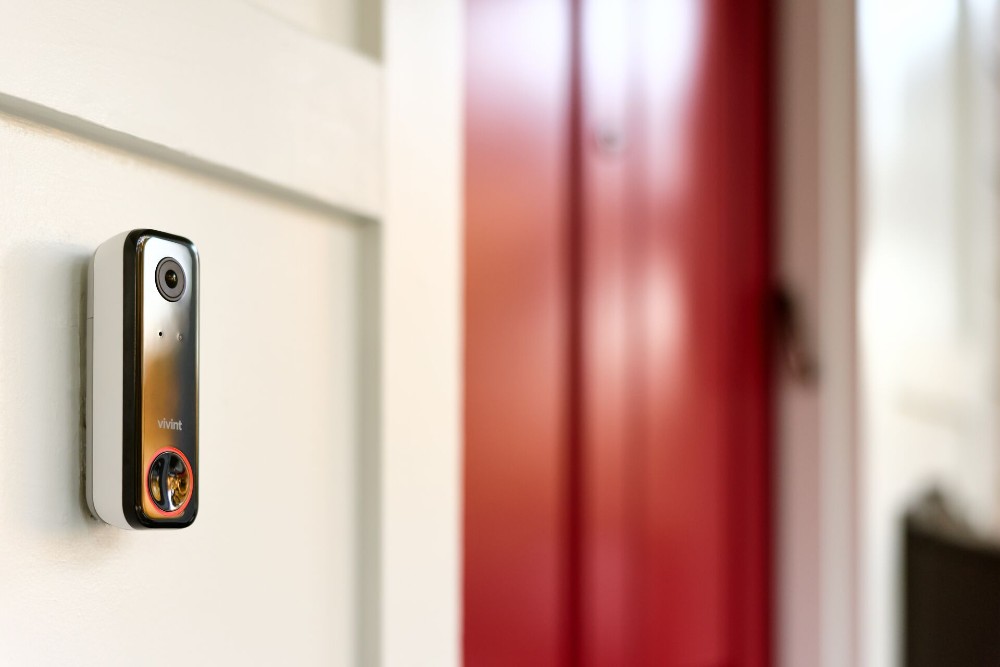
When to choose a doorbell camera: If your main concern is seeing who's at the front door, communicating with delivery drivers, or deterring porch pirates, look for a video doorbell camera like the Doorbell Camera Pro. Many models connect to your existing doorbell wiring or run on a rechargeable battery.
When to choose an outdoor security camera: If you need to monitor larger areas like driveways, backyards, or side yards, an outdoor security camera provides wider coverage and more flexible placement options.
Best approach: Many homeowners use both—a doorbell camera at the front door for close-up visitor views and outdoor cameras positioned around the property for comprehensive coverage.
How do I choose the best outdoor wireless security camera?
Follow these steps to find the right camera for your home:
- Assess your property. Walk around and identify areas that need monitoring—driveways, entry points, backyards, and blind spots.
- Determine resolution needs. 1080p is sufficient for most uses.
- Check weather ratings. Look for an IP rating that fits where you live—do you experience heavy rain, snow, or extreme temperatures?
- Decide on power source. Choose battery-powered for flexible placement, plug-in for steady power, or hardwired for maximum reliability.
- Evaluate storage options. Decide between local storage (microSD card), cloud storage, or both based on your budget and backup needs.
- Confirm smart home compatibility. Ensure the camera works with your existing ecosystem.
- Consider professional monitoring. Decide if you want 24/7 professional monitoring or self-monitoring through a mobile app.
Smart home integration
The more connected your system is, the more effectively it works. Outdoor cameras pair with your home security system and other smart devices to trigger actions automatically, helping you respond faster and stay in control from anywhere.
Here are some of the ways an outdoor security camera can integrate with your other smart home devices, adding value:
- Working with your home security system. When cameras detect motion, they send alerts through your Wi-Fi security cameras and trigger actions like recording video, turning on lights, or sounding alarms, so everything responds as one.
- Syncing motion events. When one device detects movement, others log the same motion events, keeping your footage in sync. Add sensors to track when doors or windows open, and set lights to turn on automatically so visitors know they’ve been seen.
- Connecting through mobile apps. The Vivint mobile app gives you live view, video playback, and clip sharing on the go. You can filter by motion events, talk through the camera, or arm the system, all from your smartphone.
- Adapting to daily routines. Create custom scenes to suit your schedule. Arm the system at night for more sensitive recording, then ease settings in the morning to reduce unnecessary alerts. Integrated camera systems grow with your needs over time.
For a connected setup that includes sensors, lighting, and cameras, explore Vivint home security system packages for automation that works together seamlessly.
Related article
Wireless Security Camera Buying Guide
How can I improve my security camera coverage?
Smart placement and small adjustments can make a big difference in how well your cameras perform. Use these tips to fine-tune coverage and reduce false alerts:
- Pair indoor and outdoor views. Use a video doorbell to capture faces and packages at the doorstep, and place an outdoor camera to monitor walkways, driveways, or the yard for broader visibility.
- Add lighting to low-visibility areas. Install a light near dark corners to help your live view stay clear at night and improve video detail in recorded clips.
- Adjust activity zones. If pets, tree branches, or passing cars are triggering alerts, set custom zones and adjust sensitivity so cameras focus on people and vehicles.
- Test Wi-Fi strength. Use the mobile app to check signal quality during placement. Aim for a strong, steady connection before securing mounts.
- Take test clips. Record short video samples to confirm that both local storage and cloud storage are working as expected before finalizing your setup.
- Assign a clear role to each camera. Make sure every device covers a specific area with the right angle. When cameras are positioned with purpose, the system runs more smoothly, and you spend more time watching what matters.
Which outdoor camera features affect coverage and clarity?
| Feature | What it Affects | How to Choose |
|---|---|---|
| Field of view | Scene width Blind spots |
140°–180° for open areas 110°–130° for smaller area capture |
| Pan-tilt options | Ability to reframe and track | Fixed mounts for set angles Pan-tilt for moving coverage |
| Resolution HD | The level of detail in the video recording | 1080p for general monitoring 4K for greater detail |
| Weatherproof rating | Outdoor reliability | IP65 for rain and dust |
Protect your home with Vivint
When your cameras see more, you act faster. Vivint systems pair sharp imaging with motion detection, night vision, AI detection, and real-time alerts so you can step in before problems grow. You get a live view that feels instant and clips you can review in the app. It fits into a smart home, so lights, sensors, and automation work together without extra steps.
If you want reliable coverage outdoors, start with an outdoor camera that stands up to weather and delivers the detail you expect. It should connect cleanly to your security system and give your mobile apps the tools you need day to day.
Explore home security cameras that fit your layout at Vivint, and you can build a setup that scales with your home. The right outdoor wireless security cameras bring simple control and steady protection that adds up to real peace of mind.
FAQs for outdoor wireless security cameras
Choosing, installing, and maintaining cameras raises many questions. Here are some quick answers based on Vivint systems, which will help you get simple control and steady protection.
What is the best wireless security camera for outside?
The best wireless security camera is durable, weather-rated, and delivers high-resolution video with real-time alerts. Look for strong night vision, reliable Wi-Fi, and AI detection that filters people from pets.
A seamless smart home setup helps everything respond together. Vivint outdoor security camera models are built for consistent performance and wire-free placement options that feel dependable day to day.
How do wireless outdoor cameras get power?
Most models use a plug-in adapter, a rechargeable pack, or a hardwired line. Your power source shapes where you can mount and how often you service the unit. A neat power cable run keeps things tidy. Vivint cameras often use wired or hybrid connections for steady connectivity and minimal upkeep.
How can I improve the battery life of my outdoor wireless security camera?
Lower motion detection sensitivity, shorten video recording length, and reduce notifications in the app. Use activity zones to ignore trees and traffic. Place the device to limit false triggers and keep Wi-Fi security cameras close to a strong signal. Pick a power source that fits your usage, then check mobile apps for health and charge status.
Do I need a subscription for outdoor security cameras?
No. Many cameras work without a subscription. Cameras with microSD cards store footage locally. Cloud storage subscriptions ($3–$30/month) add off-site backup and extended video history, but they aren’t required for every camera.
Get a free quote today.
A Vivint Smart Home Pro will contact you within 24 hours. Or skip the form and call now: 844.481.8630.
Everything works together
Combine products
for a safer home
You may also like:
Security Cameras
Doorbell Cameras With Real-Time Alerts & Cloud Storage: What to Look For
May. 01, 2026

Security Cameras
The Ultimate Buyer’s Guide to the Best Wireless Video Doorbell Cameras
Learn how to choose a wireless doorbell camera, compare power options, video quality, smart features, storage, and installation methods.
Apr. 24, 2026
Security Cameras
Wired or Wireless Doorbell Cameras: Which is Right for Your Home?
Explore the differences between wired and wireless doorbell cameras to choose the best security option for your home.
Mar. 30, 2026
Related content
-
How Do Wireless Security Cameras Work?
Learn how Vivint wireless security cameras create complete security to protect the things that matter most to you.
-
How to Choose the Best Outdoor Security Camera for Your Needs
Outdoor security cameras give you peace of mind while you’re away. Here’s how you can choose the best exterior security camera for your needs.
-
Maximizing Coverage: Where To Place Your Outdoor Wireless Security Cameras
Learn how outdoor security cameras can enhance your home’s safety with the proper placement and features.


