
Aging in place doesn’t have to be dangerous. With the Vivint Emergency Pendant, help is just one push of a button away.
Doorbell Cameras With Real-Time Alerts & Cloud Storage: What to Look For
Quick definition: Real-time alerts are push notifications sent to a doorbell camera’s mobile app following an event trigger. Most happen within 1–3 seconds of activity detection.
A doorbell camera with real-time alerts and cloud storage is a smart home security device that streams live video, sends instant motion or visitor notifications to your smartphone, and stores recorded footage securely online for later access.
Doorbell cameras with real-time alerts and cloud recording are best for:
- Homeowners wanting 24/7 front door monitoring
- Frequent travelers who need remote access
- Families expecting deliveries or service visits
Key takeaways
- A doorbell camera is a video-enabled device installed at your front door that records visitors, detects activity, and sends alerts to your smartphone
- Ai-powered real-time alerts reduce false alarms by distinguishing between people, packages, and unimportant activity
- Cloud storage keeps footage secure and accessible from anywhere, while local storage offers privacy without monthly fees
- Wired doorbell cameras provide faster, more reliable real-time alerts than battery-powered cameras
- Features like night vision, HD video quality, and smart home integration enhance overall security
Doorbell cameras with real-time alerts and cloud recording have become essential for modern home security, offering instant notifications and remote video access from anywhere. With a doorbell camera in place, you can see who’s at your door, get real-time alerts whenever there is activity on your porch, and review cloud-stored footage later if needed.
But not all doorbell cameras are created equal. In addition to basic video recording, two-way audio, and motion detection, features like real-time alerts and cloud storage play a major role in how useful doorbell cameras are.
Throughout this guide, we’ll explain how real-time alerts and cloud recording work. We’ll also highlight what to look for when you are shopping for a doorbell camera. To illustrate these features, you’ll learn about how they work in the Vivint Doorbell Camera Pro.

Free Bonus Download: Vivint Doorbell Camera Pro Guide
Key features to consider
Video storage methods and doorbell camera features are essential considerations when choosing a doorbell camera with real-time alerts.
Pros and cons of doorbell storage methods
| Storage Type | Pros | Cons |
|---|---|---|
| Cloud storage | Remote access Automatic backup Encrypted storage |
Subscription costs ($3–$10/month) Relies on Wi-Fi |
| Local storage | Superior privacy No monthly fees Recording during outages |
Limited capacity Damage to or theft of camera damages footage |
| Hybrid storage | Improved reliability through redundancy Lower bandwidth usage |
Subscription costs ($3–$10/month) Need to manage both physical and remote storage |
When you’re shopping for a doorbell camera with real-time alerts, several features influence how useful it will be for your everyday home security. Understanding these features can help you pick the right camera for your home:
Doorbell camera features overview
| Feature | Definition | Why It Matters |
|---|---|---|
| Real-Time Alerts | Instant notifications when there's activity at your front door Encrypted storage |
Lets you respond quickly to activity |
| Cloud Storage | Video saved securely online in the Cloud | Keeps footage accessible from anywhere with internet access |
| Local Storage | Footage stored on the device or hub | No monthly subscription required |
| Subscription Plans | Optional services unlocking advanced features | Adds AI alerts and organization, extended storage |
| Notification Accuracy | AI-powered detection that distinguishes between people, packages, or vehicles | Helps reduce unneccessary alerts and false alarms |
| Recording Type | Continuous or activity-based recording | Determines how events are captured |
| Package Detection | AI that identifies delivered packages | Helps monitor deliveries |
| Night Vision | Infrared or color night vision for low-light recording | Captures clear footage 24/7, even in the darkness |
| Video Quality | Resolution such as 1080p HD or 2K | Higher resolution provides clearer images for identifying visitors |
What are real-time alerts in doorbell cameras?
Real-time alerts are push notifications sent to your smartphone when your doorbell camera sense activity. Most alerts arrive within 1–3 seconds of activity detection.
Here’s how a real-time alert works in a basic doorbell camera:
- A motion or specific event occurs in the camera’s field of view, triggering an alert
- You receive a push notification from your camera’s app on your mobile device
Doorbell cameras with real-time alerts that are powered by AI, like the Doorbell Camera Pro, can distinguish between everyday actions and those you actually want to know about:
- Packages delivered
- People coming to your door, whether they ring the bell or not
Real-time alerts with AI functionality like package detection and person detection reduce false alarms and let you act quickly.
How do real-time alerts work in the Doorbell Camera Pro?
Real-time alerts in the AI-powered Doorbell Camera Pro work like this:
- An event happens at your front door
- The Doorbell Camera Pro’s AI-driven Smart Detection identifies the event and determines what is happening: Is a neighbor passing by? No alert. Is someone approaching your porch? Alert.
- In real-time, you receive an alert of specific activity at your front door
- You open the Vivint app to view live video or recorded clips
The Doorbell Camera Pro uses AI technology that distinguishes people and packages from other things like passing cars and swaying branches. When a person or package is detected, the Doorbell Camera Pro will instantly send you a notification so you can know what’s happening—without constantly checking your app.
Real-time alert features to look for
The best doorbell cameras with real-time alerts intelligently differentiate motion you’re interested in (someone coming to your front door) and motion you’re not interested in (a car driving past your house). They should have:
- Person detection
- Package detection
- Custom activity zones
- AI filtering to reduce false alerts
Together, these features cut down on false alerts, making sure you only get notifications that matter.
Doorbell camera features overview
| Feature | Definition | Why It Matters |
|---|---|---|
| Person Detection | AI-powered ability to identify people versus cars, animals, packages, etc. | Makes notifications more accurate |
| Package detection | AI-powered ability to identify packages versus cars, animals, people, etc. | Makes notifications more accurate |
| Custom Activity Zones | User-defined areas in a camera's field of view from which to receive notifications | You only get notifications from areas you want to know about |
| AI Filtering | Intelligent, software-driven feature that analyzes video in real-time to distinguish relevant events (package delivery, visitors, etc.) from irrelevant events (neighbors walking down the street, leaves blowing in the wind, etc.) | You only get notifications that matter |
The Doorbell Camera Pro uses Vivint Smart Deter™ to deliver more accurate person and vehicle detection, so you only get alerted for what matters.
Advanced detection features (like person and package recognition) may require a subscription plan. At Vivint, they are standard features that come with every Doorbell Camera Pro.
What is latency?
Latency is the amount of time between when an event happens at your front porch and when you actually receive a notification about it.
Factors that affect latency include:
- Poor or unstable Wi-Fi connection
- Low quality camera processing
- Wireless video doorbell cameras
Wired cameras have a lower latency period that wireless cameras. Wireless doorbell cameras can take a second to “wake up.” This is a feature designed to conserve battery life, but it could lead to delayed notifications.
Related article
Vivint Doorbell Camera Pro Reviews
Cloud storage and subscription options for doorbell cameras
When it comes to how you store video footage from your doorbell camera, you have three options:
- Cloud storage
- Local storage
- Hybrid cloud/local storage
How does cloud storage work?
Cloud storage saves footage to remote servers in an off-site location via an internet connection. Virtually all security cameras use cloud storage.
Pros of a doorbell camera with cloud storage:
- Remote access to video footage via an app
- Cloud storage usually holds significantly more footage than local storage (14–60 days depending on the subscription)
- Footage is preserved even if the camera is damaged or stolen
- Advanced features like AI detection, searchable events, and sharing
- Automatic footage backup
Cons of cloud storage:
- Requires an annual ($200/year for premium features) or monthly fee ($3–$10/month)
- Requires a stable Wi-Fi connection
- Privacy concerns if not using a reputable company
Cloud storage privacy considerations
Privacy is a common concern with doorbell cameras with cloud recording. However, you can take simple steps to ensure your data and footage are kept secure:
- Secure your login information with a long, unique password and 2-factor authentication (2FA)
- Review authorized users regularly and remove anyone who no longer needs acess
- Use secure Wi-Fi to access your footage
- Update your app firmware regularly
With these security measures in place, it’s easy to see how a doorbell camera with cloud storage is worth it.
Local storage
Local storage saves footage directly to a microSD card or network recorder. Because the video is stored on the device itself, an internet connection is not required to save recordings.
Pros of local storage
- No monthly storage fees
- Complete control over data and footage
Cons of local storage
- Footage cannot be viewed remotely
- If the device is damaged or stolen, the footage will be lost
Subscription plans and value
The best doorbell cameras for cloud storage are often tied to subscription services. The subscription plans expand the camera’s abilities, opening the door for cloud storage and advanced detection tools.
Subscription pricing varies by camera provider, but here’s a look at what it may cost:
- $3–$10 per month for basic event recording
- $20 or more per month for extended video history and multi-camera features
Common subscription benefits
With a subscription plan, you may get access to features like:
- Person and package detection
- Longer video history
- Multiple-camera support
- Smart alerts and notification filtering
Keep in mind that if you end your doorbell camera subscription, access to previously recorded cloud footage may also be removed depending on the provider’s policy.
Related article
Vivint Security Cameras that Whistle
Which is better: Wired or wireless doorbell cameras?
Wired doorbell cameras are superior for real-time alerts and cloud storage because their constant connection allows faster (real-time) notification speed and video backup.
The power source (wired or battery-powered) for your doorbell camera impacts performance, convenience, and reliability:
Hardwired doorbell cameras
Hardwired doorbell cameras are connected to your home’s power supply, meaning they have constant, reliable power. This means better, faster real-time alerts.
Pros of hardwired doorbell cameras for real-time alerts:
- Continuous power (no downtime for charging)
- More reliable performance
- Support for advanced recording features like extended preroll
Cons of hardwired doorbell cameras for real-time alerts:
- Requires professional installation
Wireless doorbell cameras
Battery-powered doorbell cameras can offer real-time alerts, but the camera’s speed may not be as reliable in an attempt to conserve battery power.
Pros of wireless doorbell cameras for real-time alerts:
- Easy installation
- Renter-friendly
- Often cheaper than hardwired cameras
Cons of wireless doorbell cameras for real-time alerts:
- Camera goes offline when battery pack is charging
- Cold temperatures drain battery life faster
- Latency may be higher when cameras are in battery-conservation mode
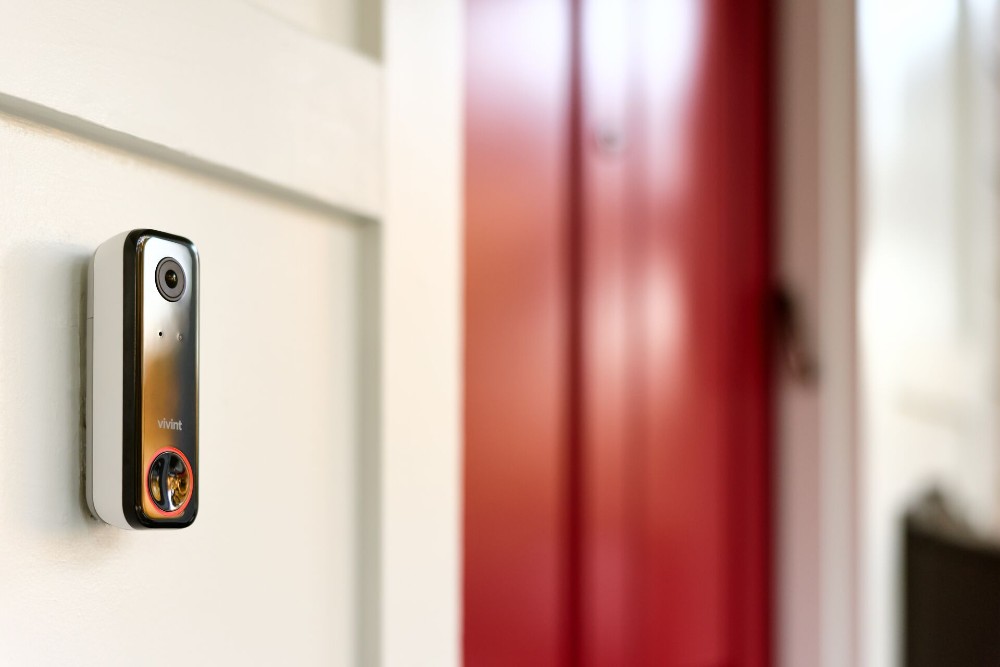
Unlike wireless video doorbell cameras that are battery powered, the Doorbell Camera Pro is wired to maintain constant connectivity, making it the most effective porch protection available.
Smart home integration and professional monitoring
Smart home integration is a device’s ability to sync and interact with platforms like Alexa, Google Home, or Apple HomeKit.
Smart home devices also connect with an app for remote control. For a doorbell camera, look for live video, real-time notifications, two-way audio, and customization like detection zones.
The Vivint Doorbell Camera Pro integrates seamlessly with every other Vivint smart home device. Together, they work together to keep your home secure while you control everything from the Vivint app.
And if something ever goes wrong, Vivint 24/7 Professional Monitoring has your back. As part of a broader home security system, monitoring reaches out whenever an alarm is triggered. If there really is an emergency, or if you can’t verify, they’ll contact emergency services on your behalf.
Related article
What Is a Smart Home?
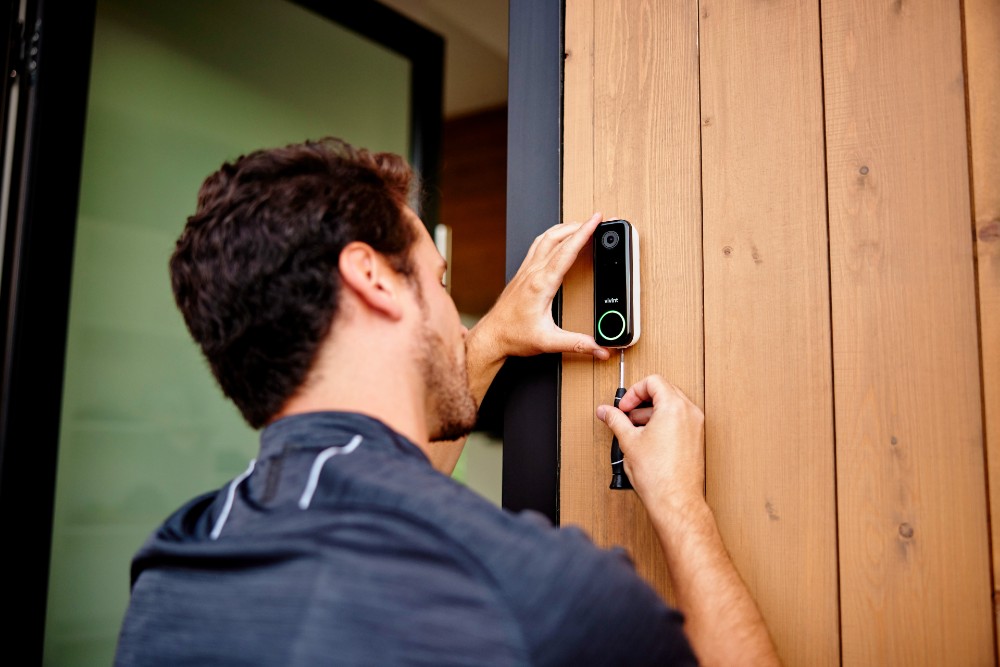
Basic doorbell camera installation checklist
Before installing a doorbell camera, consider:
- Wi-Fi signal strength near your front door
- Camera placement and viewing angle
- Compatibility with existing doorbell wiring
- Motion detection zone setup
How to choose the best doorbell camera for your home
Look at features, subscription options, and installation style when choosing the best doorbell camera with real-time alerts for your home. Questions to ask yourself include:
- Do you rent or own your home?
- Do you have an existing smart home setup?
- Would you prefer cloud or local storage?
- Are AI alerts important to you?
- What is your budget?
When to choose a wired doorbell camera
- You want reliable real-time alerts
- You own your home
- You live in a large home
- You have a weak Wi-Fi environment
- You live in a cold climate
- You value long-term security
When to choose a wireless doorbell camera
- You rent or live in an apartment
- You have excellent Wi-Fi connection near your front door
- You need quick installation
- You value portability
- You don’t mind downtime from charging batteries
When to choose cloud recording
- You value advanced features like AI detection
- You want to be able to access your video footage from anywhere
- You value ease of access
- You prioritize off-site backup for safety
When to choose local recording
- You experience frequent internet outages
- You cannot pay for a monthly subscription fee
Related article
What Percentage of Porch Pirates Get Caught?
Real-time alerts and cloud detection with the Vivint Doorbell Camera Pro
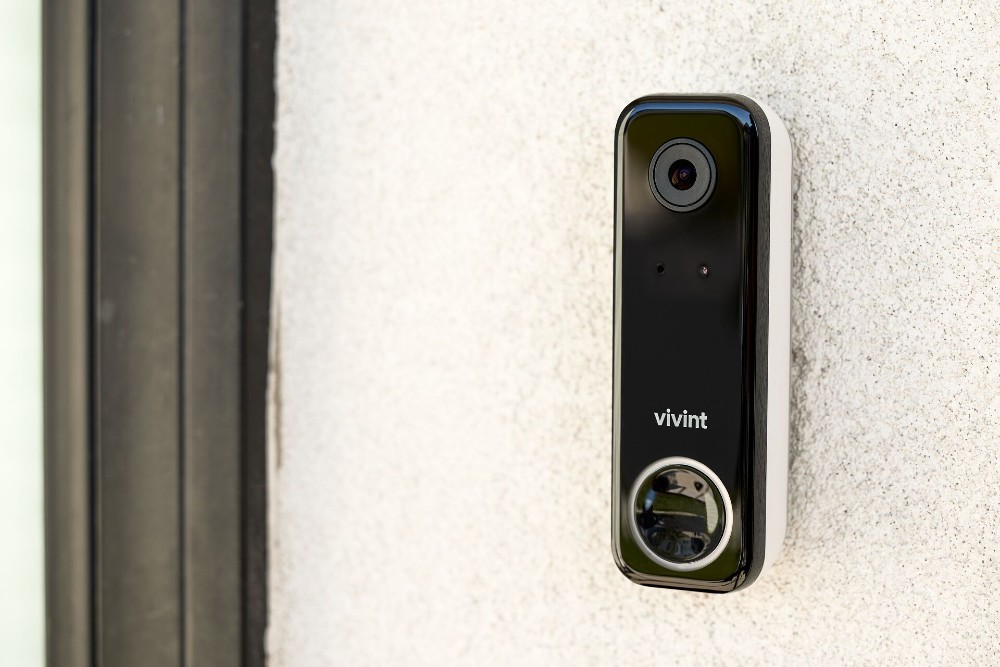
When shopping for a doorbell camera with real-time alerts and cloud recording, look no further than the Vivint Doorbell Camera Pro. It uses AI technology to distinguish people and packages from unimportant activity and send instant notifications when there is action at your front door.
The Doorbell Camera Pro is the most comprehensive doorbell camera on the market, with package detection, proactive protection, custom detection zones, and a full 180-degree field of view. It also has pre-roll, which adds 8-10 seconds to your clips before an event is triggered—which battery cameras can’t do.
To learn more about the Doorbell Camera Pro and to start protecting your home today, call Vivint at 800.646.1469 today.
Frequently asked doorbell camera questions
Learn the answer to frequently asked questions about doorbell cameras with real-time alerts and cloud storage.
How do real-time alerts work with doorbell cameras?
The Vivint Doorbell Camera Pro features Smart Deter, which uses AI-powered detection to differentiate people, packages, and unimportant activity. When something important happens, you get an instant alert through the Vivint app, which lets you see what’s going on and respond in real time.
What benefits do real-time alerts provide in doorbell cameras?
Real-time alerts notify you instantly on your phone when someone approaches your door, helping you monitor visitors, package deliveries, or suspicious activity even when you’re away.
How does cloud storage work and why is a subscription often required?
Cloud storage lets your doorbell camera save video securely online for later viewing or sharing, and a subscription is often needed to access longer recording history (14–60 days) and advanced features.
How secure is cloud storage for video footage?
Cloud storage keeps your footage protected with encryption and secure remote access. Because the video footage is stored in a secure offsite server, your recordings stay safe, even if the camera is damaged or destroyed. To increase the safety of cloud storage, keep software up-to-date, use a unique password, and enable 2FA.
Can I customize motion detection zones and alert types?
With the Vivint Doorbell Camera Pro, you can create custom detection zones and choose what events trigger alerts, such as people, packages, or vehicles. This means fewer unnecessary notifications that don’t matter, such as cars driving by or neighbors walking dogs.
What should I consider when choosing a subscription plan?
Consider the number of cameras you want to support, the smart detection features you value, and overall cost when looking at doorbell camera subscription plans. With Vivint Playback DVR, you can store up to 10 days of 24/7 footage.
What are the differences between wired and wireless doorbell cameras?
Wired doorbell cameras are hardwired, so they’re always connected to power. Wireless doorbell cameras are battery-powered. There are pros and cons to both. Hardwired cameras often require professional installation, but they don’t have the downtime that battery-powered cameras have.
How can I reduce false alerts from my doorbell camera?
You can reduce false alerts by adjusting motion sensitivity, setting up activity zones, and using AI features like person and package detection to filter out motion from animals or passing cars.
Get a free quote today.
A Vivint Smart Home Pro will contact you within 24 hours. Or skip the form and call now: 844.481.8630.
Everything works together
Combine products
for a safer home
You may also like:
Vivint Services
Why All Seniors Need an Alert System
May. 06, 2026

Security Cameras
The Ultimate Buyer’s Guide to the Best Wireless Video Doorbell Cameras
Learn how to choose a wireless doorbell camera, compare power options, video quality, smart features, storage, and installation methods.
Apr. 24, 2026

Home Security
Which US Cities Have the Most Overnight Break-Ins?
New data reveals overnight burglary trends and the nighttime habits helping Americans stay secure.
Related content
-
Security Camera Systems
Vivint's Home Security Cameras System allows you to keep an eye on your home via Indoor Security Camera & Outdoor Security Cameras all Accessible through Vivint’s App. Call 855-743-7375 to ...
-
Best Smart Home Security Systems
Protect Your Home with Vivint's Home Security Systems & Burglar Alarm - Call 855.677.2644 for More Information about our Award Winning 24 7 Home Security Services.
-
Vivint Services
Home Security Services & Business Alarm Monitoring with Professional Installation with any Vivint Package Call 844.395.9444 to Learn More about our Award-Winning 24/7 Monitoring Services


